Tuesday, 6 December 2011

Android Skin Pack to Transform Your Windows 7 into Android Look -Superb..!

0 comments

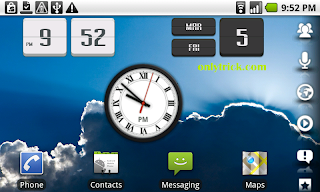
Android is one of the most powerful and popular smartphone OS these days and every one like to talk about it. How if we transformation our Windows 7 system into Android look? Ya, here a new Android transformation pack to make your Windows 7 to looks like Android with all icons, wallpapers, boot screen, login screen, cursors etc.

Android skin pack is full transformation pack this purpose to convert your Windows 7 PC into


Google's Android OS. If you want to make Windows 7 look-like Google Android OS, this transformation pack is only for you.

This new Android Skin Pack is a new customization pack for Windows 7 created by "hameddanger" of Deviantart. This pack comes with cool Android theme, boot screen, login screen, icons, cursors, wallpaper, dock and much more. The Android Skin Pack supports Windows 7, Windows 7 SP1, X86 (32Bit) or X64 (64-bit) and all Language.

NOTE: Please unistall old or other version of skin packs before install new version. Before install disable user account controller and close all runnig program. Not forget to create a system restore point before installing this skin pack so that you can restore default Windows look in case you don't like the new look or face any problem. After finish installation restart your system.

Android Skin Pack 1.0 for Windows 7:
Android Skin Pack 1.0_x86.zip (For 32-bit, 26.44 MB)
Android Skin Pack 1.0_x64.zip (For 64-bit, 26.47 MB)
Read full post »

40 best free Android games And Amuse yourself with these top free Android games

0 comments
As Android phones have increased in popularity, the number of apps available for the platform has rocketed.

And that means more free Android games. There's a lot of junk out there but, fortunately, there are gems among the junk.
We've worked our way through a whole load of Android games to reveal the ones you should download to your phone.
If we've missed your favourite free Android game, let us know in the comments.
We also have a video run down of the top 10:

1. Angry Birds
The amazingly popular iOS game moved to Android recently, earning over two million downloads during its first weekend of availability.
The Android version is free, unlike the Apple release, with maker Rovio opting to stick a few adverts on it rather than charge an upfront fee. The result is a massive and very challenging physics puzzler that's incredibly polished and professional. For free. It defies all the laws of modern retail.
Angry Birds for Android was first available to download from app store GetJar but is now available through Android Market.
Angry birds
2. Bebbled
Your standard gem-shuffling thing, only presented in a professional style you wouldn't be surprised to see running on something featuring a Nintendo badge with an asking price of £19.99.
You only drop gems on other gems to nuke larger groups of the same colour, but with ever-tightening demands for score combos and scenes that require you to rotate your phone to flip the play field on its head, Bebbled soon morphs into an incredibly complex challenge.
Bebbled
3. The Red Stone
There's an awful lot of square-shuffling games on Android and Red Stone is one of the best. And one of the hardest. You start off with a big fat 'King' square that's four times of the normal 'pawn' squares, then set about shuffling things so the fat King can get through to an exit at the top of the screen.
It's hard to accurately describe a puzzle game in the written word, but seriously, it's a good game.
Red stone
4. Newton
Released a few months back in beta form, Newton is a maths/physics challenge that has you lining up shots at a target - but having to contend with the laws of nature, in the form of pushers, pullers, benders (no laughing), mirrors and traps, all deflecting your shot from its target.
The developer is still adding levels to it at the moment, so one day Newton might be finished and might cost money. But for now it's free and a great indie creation.
Newton
5. Sketch Online
Surprisingly free of crude representations of the male genitalia, Sketch Online is a sociable guessing game where users do little drawings then battle to correctly guess what's being drawn first. It's like Mavis Beacon for the Bebo generation. The version labelled "Beta" is free, and if you like it there's the option to pay for an ad-free copy. But Google can't make you. Yet.
Sketch online
6. Drop
Some might call Drop a game, others might classify it as a tech demo that illustrates the accuracy of the Android platform's accelerometer, thanks to how playing it simply involves tilting your phone while making a little bouncy ball falls between gaps in the platforms. Either way it'll amuse you for a while and inform you of the accuracy of your accelerometer - a win-win situation.
Drop
7. Frozen Bubble
Another key theme of the independent Android gaming scene is (ports of) clones of popular titles. Like Frozen Bubble, which is based around the ancient and many-times-copied concept of firing gems up a screen to make little groups of similarly coloured clusters. That's what you do. You've probably done it a million times before, so if it's your thing get this downloaded.
Frozen bubble
8. Replica Island
An extremely polished platform game that pulls off the shock result of being very playable on an Android trackball. The heavy momentum of the character means you're only switching direction with the ball or d-pad, letting you whizz about the levels with ease. Then there's jumping, bottom-bouncing, collecting and all the other usual platform formalities.
Replica island
9. Gem Miner
You are a sort of mole character that likes to dig things out of the ground. But that's not important. The game itself has you micro-managing the raw materials you find, upgrading your digging powers and buying bigger and better tools and maps. Looks great, plays well on Android's limited button array. Go on, suck the very life out of the planet.
Gem miner
10. ConnecToo
Another coloured-square-based puzzle game, only this has you joining them up. Link red to red, then blue to blue - then see if you've left a pathway through to link yellow to yellow. You probably haven't, so delete it all and try again.
A brilliantly simple concept. ConnecToo used to be a paid-for game, but was recently switched to an ad-supported model - meaning it now costs you £0.00.
Connectoo
11. Titres
Once you're successfully rewired your brain's 25 years of playing Tetris in a certain way with certain buttons and got used to tapping the screen to rotate your blocks, it's... Tetris.
It hinges on how much you enjoy placing things with your phone's trackball or pad. If you're good at it, it's a superb Tetris clone. Let's hope it doesn't get sued out of existence.
Titres
12. Trap!
Not the best-looking game you'll ever play, with its shabby brown backgrounds and rudimentary text making it look like something you'd find running on a PC in the year 1985. But it's good.
You draw lines to box in moving spheres, gaining points for cordoning off chunks of the screen. That sounds rubbish, so please invest two minutes of your time having a go on it so you don't think we're talking nonsense.
Trap
13. Jewels
Coloured gems again, and this time your job is to switch pairs to make larger groups which then disappear. That might also sound quite familiar. The good thing about Jewels is its size and presentation, managing to look professional while packing in more levels than should really be given away for free.
Jewels
14. OpenSudoku
We had to put one Sudoku game in here, so we'll go with OpenSudoku - which lives up to its open tag thanks to letting users install packs of new puzzles generated by Sudoku makers. It's entirely possible you could use this to play new Sudoku puzzles for the rest of your life, if that's not too terrifying a thought.
OpenSuduko
15. Abduction!
A sweet little platform jumping game, presented in a similarly quirky and hand-drawn style as the super-fashionable Doodle Jump. You can't argue with cute cows and penguins with parachutes, or a game that's easy to play with one hand thanks to its super accessible accelerometer controls.
Abduction
16. The Great Land Grab
A cross between a map tool and Foursquare, The Great Land Grab sorts your local area into small rectangular packets of land - which you take ownership of by travelling through them in real-time and buying them up.
Then someone else nicks them off you the next day, a bit like real-world Risk. A great idea, as long as you don't mind nuking your battery by leaving your phone sitting there on the train with its GPS radio on.
Great land grab
17. Brain Genius Deluxe
Our basic legal training tells us it's better to use the word "homage" than to label something a "rip-off", so we'll recommend this as a simple "homage" to the famed Nintendo Brain Training franchise.
Clearly it's not going to be as slick, but there's enough content in here to keep you "brain training" (yes, it even uses that phrase) until your battery dies. The presentation's painfully slow, but then again that might be the game teaching you patience.
Brain genius deluxe
18. Coloroid
Very, very simple and has the look of the aftermath of an explosion in a Tetris factory, but it works. All you do is expand coloured areas, trying to fill them in with colours in as few moves as possible - like using Photoshop's fill tool at a competitive level.
Coloroid
19. Cestos
Sort of a futuristic recreation of curling, where players chuck marbles at each other to try and smash everyone else's balls/gems down the drain and out of the zone. The best part is this all happens online against real humans, so as long as there's a few other bored people out there at the same time you'll have a real, devious, cheating, quitting person to play against. Great.
Cestos
20. Air Control
One of the other common themes on the Android gaming scene is clones of games based around pretending to be an air traffic controller, where you guide planes to landing strips with a swish of your finger. There are loads of them, all pretty much the same thing - we've chosen Air Control as it's an ad-supported release, so is technically free.
Read full post »

Best Android apps for Every Smartphone- 5 apps that can change your phone in a super smart phone

0 comments
(Click on The application's Name to Download It.)

No matter if you are a fan of HTC Sense phones with its attractive UI, Samsung TouchWiz phones, or stock Android phones, there are five apps that should be installed on every Android phone to make them better.

1.Beautiful Widgets

beautiful-widgets
The strength of Android is the ability to make the interface very personal, and Beautiful Widgets is the daddy of them all. The app installs a bunch of home screen widgets of varying sizes that make it a breeze to tailor the look and feel of the screens to the user’s personal taste. The widgets include HTC Sense look-alikes for those who like the clock and weather screens on those devices, but that’s just for starters. There are hundreds of clock, weather and battery meter skins for download within Beautiful Widgets that can make the phone screen look any way you want. The various widgets can be combined in any number of ways to fit your style. There is even a live wallpaper that changes the screen background to match the time of day and local weather conditions. €1.99.

2.LauncherPro.launcherpro-widgets

The Android launcher is attractive but very basic in design and function, and LauncherPro takes any Android phone to the next level. This alternative launcher adds a customizable dock bar for launching apps, but that is only a fraction of the functionality it brings to the home screen. Speaking of home screens, LauncherPro brings a totally revamped home screen environment, with a new app drawer for launching apps included. The app also makes a suite of home screen widgets available that can be added as desired to install a raft of new functionality on the home screens as desired. These widgets can be customized to the heart’s desire, and are skinnable to make them look just right. The Gmail widget alone is worth the price of LauncherPro. There are other alternative launchers but none match LauncherPro for features. You must have the Pro version to unlock all the features including the widgets. $3.49.

3.Dolphin Browser HD. dolphin-browser

The web browsers installed on Android phones are pretty good, but they don’t hold a candle to the Dolphin Browser HD. This browser is as fast as can be for rendering web pages in perfect form, and has a unique touch system for improved web browsing. The bookmark system is as sophisticated as that on any desktop browser, yet is as easy to operate as tapping on the screen. Dolphin also has a plug-in system that adds tons of functionality to the browser as desired. There is a configurable gesture system in Dolphin that lets you trigger actions by drawing on the screen with a fingertip, a tremendously useful feature. There is a free version that is ad-supported in the settings menus, or a $4.99 version without ads.

4.Multicon Widget.multicon-widget

Phone screens can only hold so much information due to the small size, and sometimes you need to put more icons for apps than will fit. The free Multicon widget lets you put up to 4 app icons in the space normally occupied by one, which greatly extends the screen real estate. The four icon slots are not restricted to apps, you can put shortcuts for actions and special functions like Wi-Fi toggle in the slots. This is the most useful widget for a free app.

5.Amazon MP3.

 amazon-mp3

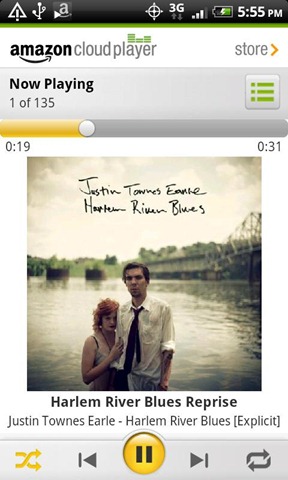
This free app has morphed from a simple way to get free music on Android phones into a full-fledged cloud music playing system. The free MP3 of the day is still there, along with easy access to cheap album deals in the Amazon music store, but with the launch of the Cloud Drive the Amazon MP3 app has evolved into a must-have for Android phone owners. Once you upload your music library to the Amazon Cloud, streaming it to any Android device (and computer) is a simple tap on the screen. Purchased (and free) music is automatically put into your Cloud Drive for instant access on the phone. The app also plays music store locally on the phone for those not into the whole cloud thing. Free.
Read full post »

New Apple iPhone 4S availability, pricing creates fierce competition for Android

0 comments
iPhone 4 4S
Apple has just announced their latest version of the iPhone–a reworked version of the iPhone 4 known as the iPhone 4S. Design wise, nothing has changed. Internally, Apple is finally catching up. And in pricing and availability? It looks like Android will finally face some stiff competition when it comes to who sells the iPhone and for how much.

For those of you who didn’t watch any live-blogs or disconnected from Twitter, here’s how the pricing and availability of the new iPhone breaks down. The iPhone 4S is the world phone (GSM + CDMA) and will be available on October 14t for AT&T, Verizon and finally Sprint.

Pricing for the iPhone 4S with a 2-year contract:

  • 16GB – $199
  • 32GB – $299
  • 64GB – $399
As far as the older iPhone 4 and 3GS go, there will be an 8GB iPhone 4 available for $99 on contract (will rely heavily on “the cloud,” should be available through AT&T, Verizon and Sprint), and the iPhone 3GS (AT&T only) will be free. Now before we go any further, I know what you’re thinking. This pricing by no means gives Apple the edge when it comes to selling phones on contract. What it does do, however, is put the company in a much more competitive position in several different arenas.

The iPhone has always been considered a premium product. Pricing models have reflected that. In fact they still do ($399 on contract?!), but now there is some sort of option for iPhone buyers across the board. Before, when someone walked into a store with $100 looking for a phone, they couldn’t get an iPhone 4. Now they can. And comparatively, the iPhone 4 can still hold its own. Of course there are far superior Android phones for the same price (or less) specs wise. It’s going to come down to which devices carriers try to push harder.

AT&T has stayed faithful to Apple and probably will continue to do so. Verizon has been very open with the devices they push. They have always placed a lot of emphasis on how awesome Android is, iPhone or not. Sprint, on the other hand, is an entirely new factor in the equation.

Recently, Google has placed a lot of faith in Sprint and vice versa. Sprint has allowed Google to try things out with the carrier, including Google Voice integration and Google Wallet. According to the Wall Street Journal, Sprint’s newly acquired iPhone deal wasn’t cheap. WSJ has sources saying that Sprint will pay somewhere in the neighborhood of $20 billion for 30.5 million iPhones over the next four years. In other words, Sprint has inked a deal for the iPhone that means they won’t be actually making money until 2014.

This Is My Next has pointed out that Sprint sees around 12 million upgrades per year and that they will need to sell 8 million iPhones to stay on track with the deal. Out of 12 million devices, Sprint needs 8 million of them to be iPhones. At this point, one can’t help but wonder, has Google just lost a partner in the mobile space? How could Sprint possibly sell the iPhone 4S at these kinds of numbers while still giving Android an equal amount of attention? It would seem they can’t.

Of course Sprint is just one carrier. The iPhone’s release on Verizon didn’t hurt Android in the way some analysts predicted. And there’s a good chance a Sprint iPhone won’t have a devastating impact either. Apple is merely putting more pressure on Google to stay focused. With the pricing of handsets, choice of carriers and huge variety of form factors, Google and Android will continue to do great if they continue down the path they’re on.

That includes focusing on a wide availability of devices (please don’t release the next Nexus only on Verizon!) and competitive pricing. Google is going to close 2011 out with a bang. And whether you like it or not, Apple has helped push them to do it. Fierce competition has pushed Google to constantly work on how they can make their products better for us, the consumers. Don’t expect that to stop anytime soon.

Read full post »

Top 25 Best Samsung Galaxy S2 Apps

1 comments
1) Pandora Radio
- Pandora radio is a personalized radio service that streams music on your phone.

2) Google Maps
- Download the latest release of Google Maps, and never carry a paper map again.

3) Facebook
- Share and stay connected with your friends with the Facebook for Android app.

4) Angry Birds
- Use the unique powers of the Angry Birds to destroy the greedy pigs’ fortresses!


5) Gmail
- The Gmail app: push, sync, conversations, integration, search, and more.

6) Street View on Google Maps
- With Street View on Google Maps, explore the world at street level.

7) Words With Friends
- The #1 mobile word game Words With Friends Free is now available on Android.

8) Barcode Scanner
- Scan barcodes on products then look up prices and reviews.

9) Advanced Task Killer
- It is a tool to kill applications running.

10) Netflix
- Watch TV shows & movies streaming from Netflix.

11) The Weather Channel
- Animated radar & more! Download the power of The Weather Channel to your phone.

12) Talking Tom Cat
- Tom is your pet cat, that responds to your touch and repeats everything you say.

13) Twitter
- The official Twitter client for Android phones!

14) YouTube
- The latest version of the official YouTube app, now with in-page playback!

15) Live Holdem Poker Pro
- Join the #1 Poker on the Android Network and Play with millions of real players.

16) Paper Toss
- The hit game has finally arrived for Android!

17) Paradise Island
- “Paradise Island” is the game for all sun and sea lovers! Tear yourself away from work and build your own sunny island!

18) GasBuddy
- GasBuddy helps you find the cheapest gas prices in your area.

19) Skype
- Make free Skype-to-Skype calls, and call phones at Skype rates on the move

20) Lookout Mobile Security
- Protect your phone with award-winning security from Lookout.

21) Google Plus
- Real-life sharing rethought for mobile.

22) Stupid Zombies
- Stupid zombies are back and you are humanity’s last hope to keep them brainless.

23) Movies
- The #1 app for movie reviews, trailers and showtimes.

24) Anti-Virus Free
- AVG Antivirus for Smartphones & Tablets detects harmful SMS & Apps automatically.

25) Evernote
- Evernote turns your Android device into an extension of your brain.


Incoming search terms:

  • best apps for samsung galaxy s2
  • best apps for galaxy s2
  • samsung galaxy s2 apps
  • samsung galaxy s2 best apps
  • apps for samsung galaxy s2
  • top apps for samsung galaxy s2
  • samsung galaxy s2 apps best
  • top apps for galaxy s2
  • applications for samsung galaxy s2
  • galaxy s2 best apps
  • Download Galaxy S2 apps
Read full post »

How to install Android OS on computer

0 comments
 
Today i post about how to install android OS on your Computer using memory card OR Flash Drive, Now a days Android is very popular OS for Mobile,android platform always deserve a best place in market, You can install in your memory cards or flash drives to test android OS on your system,if you want to use android OS on your Net books or Computer i explain below Step by step Procedure


System Requirement for installation
* Empty Flash Drive (256MB or more storage space)
* Notebook / Desktop


Download Android OS from Above link and copy it in your flash drive or memory card. Scroll down and download it from the stable release section of the site. This will download an ISO file from the website. Also Make sure 
>your memory device having memory more than 256MB.
>make your memory drive clean before copying android into it.
+
You also need UNetbootin (Universal Netboot Installer) to run android on your system. 
Choose your OS :
Download For Windows 
Download For Linux
Download For Mac OS X
  
Now we start Installation step by step >


 After selecting the target disk, android will start extracting from ISO file and installed in your disk. Now your flash drive will get installed with android OS. This may take few minutes depending on the speed of your flash drive.


Once you get done with the process you will asked to reboot your system. If you wish you can reboot system immediately or else you just exit and run android when you want. Now your system is ready to run android OS. All you need to do is reboot your system with the flash drive. Change the boot setup to boot from removable disk.
In default it will be available to boot from your hard drive. So press F2 on reboot of your system. Go to Boot menu in the BIOS setup and change the boot setup to boot from removable disc. Then press F10 to save your changes and exit from BIOS setup. Now your system will restart and boot from your removable disc. This will bring a menu infront of you with the following options.

Select Live CD- Run Android-x86 without installation. Then your android OS will start booting and you need to wait for few minutes until it gets loaded. After a couple of minutes you will straightly get into your personal desktop. The default applications will be available on the home screen and for more applications go to menu and select the applications you need.
Android Desktop Image [ Below ]


Follow these steps, try installing android in your system. share your comments and doubts in the comment box below. 
Read full post »

How to run Android apps on computer

0 comments
 
Here we showing How to RUN  Android Application on your computer, In previous post we introduce How to install android OS on Computer So if you want to play your favorite android app or games on your windows computer. you can fully enjoy of your favorite application game, on windows7,vista,XP, Of course there is way to run android app and games on your windows PC. The application is Bluestacks. App that allows Android users to run their favorite apps on any Windows PC. 


Download Here

After installation, an Android gadget will appear on your Windows gadget sidebar. Clicking on the gadget will show you a number of pre-installed apps and games for Android.

Features
1. Play Android apps fast and full-screen
2. Push your favorite apps from your Android phone to your PC using BlueStacks Cloud Connect
3. Run 10 pre-loaded apps "out of the box"
4. Install up to 26 more of your favorite apps
5. May not work fast on older netbooks and tablets
6. Available now for Win7, and it's Free

SHARE AND ENJOY..!
-- Have Any Problem With this Post ?
Just Comment Below,
We like and appreciate Your comment...
Read full post »

Lable

Flash Labels byMaking Different

GTU BOOK